19. Juni 2026
Mapbender version 5.0.0 released 2026-09-09
Modern design, OGC API - Features as a new data source, WMS security, print with batch mode, and much more awaits you in the new major release. Read the Visual Changelog.
Click here for the German version. German Version
On September 9, 2026, the Mapbender team released Mapbender version 5.0.0. Many thanks to everyone involved.
This new version is a major release featuring numerous enhancements, a redesigned interface, support for OGC API - Features as a data source, WMS security, batch print functionality, and a wide range of other improvements and bug fixes.
Existing Mapbender installations can be updated to version 5.0.0. Please refer to the update instructions in the following document.
This post highlights a few new features. You can find the complete list of all changes here:
Design
The design has been extensively revised. One motivation was that the same application can be used for use on the computer and on mobile devices on a smaller display.
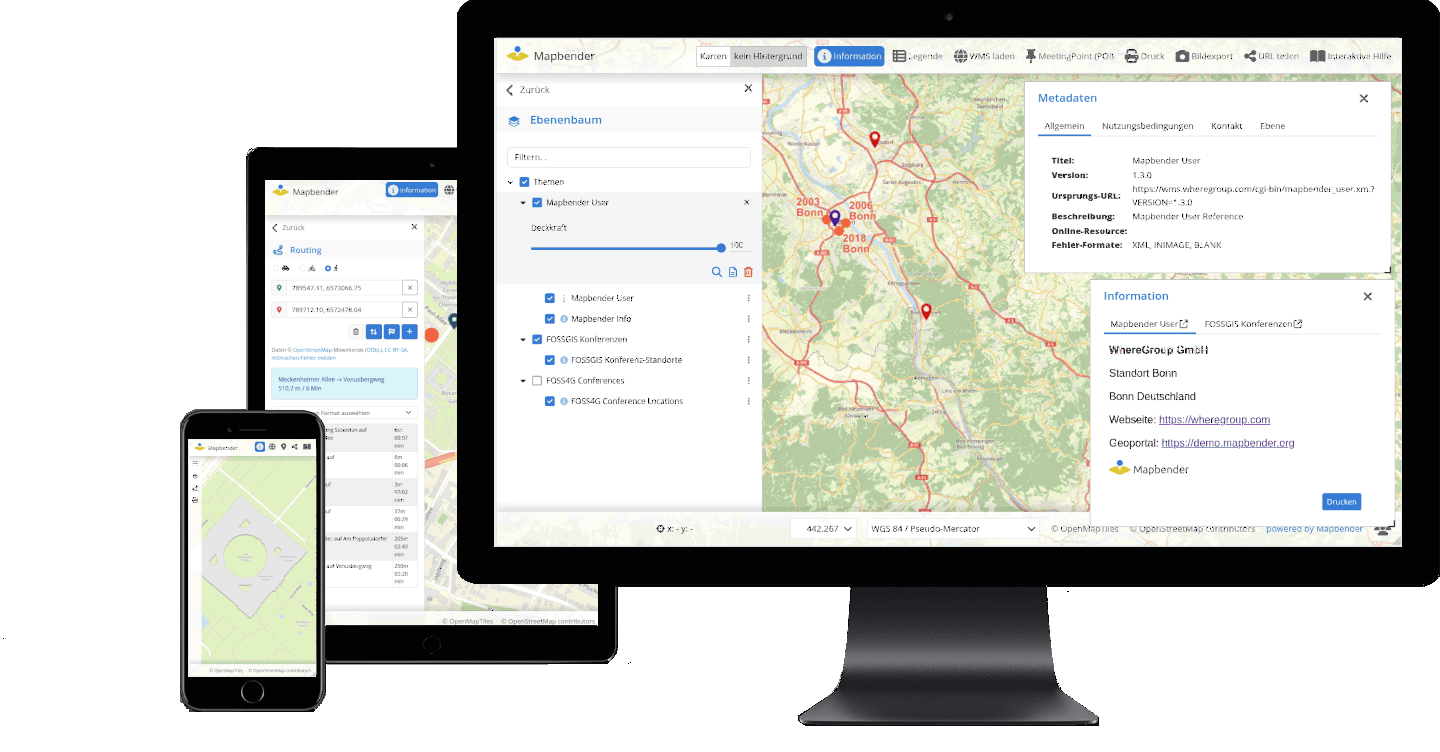
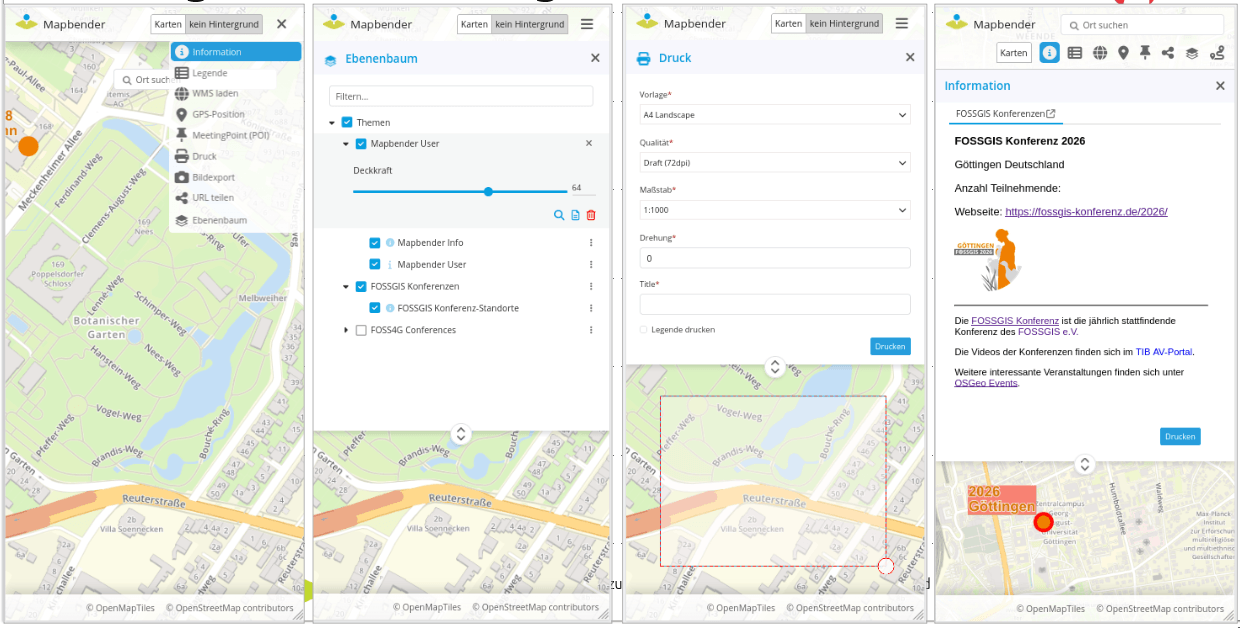
In addition, the appearance has been modernized and the user-friendliness improved. The following list gives an overview of the new behavior:
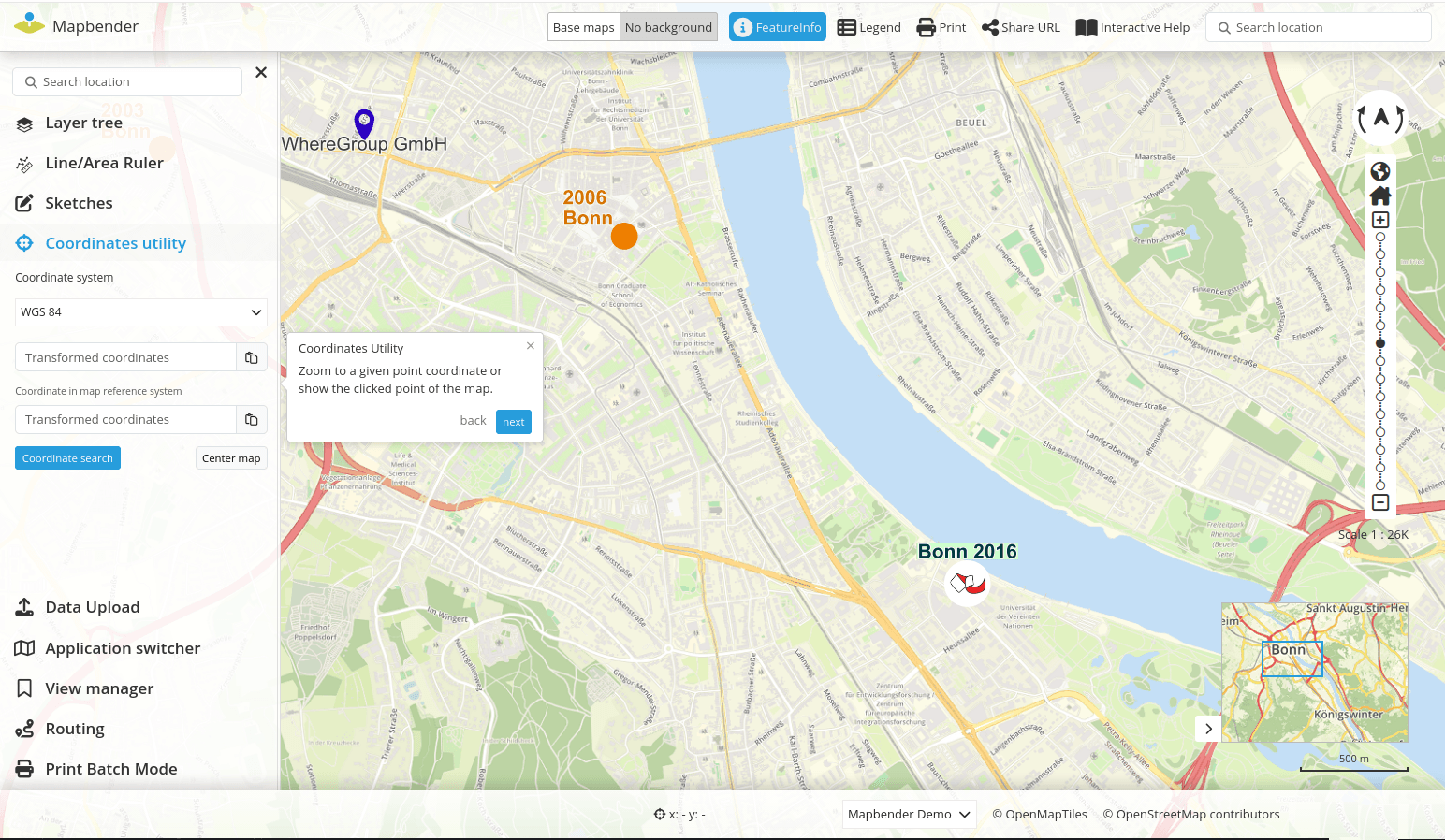
- New display mode: List for sidepane – with limited vertical space and the use of many elements in the sidepane, inactive element headings are hidden (see Fig. 1).
- Each item has an icon that is displayed in the sidepane and also in the dialog. These icons are also visible for quick access when the sidepane is folded in (see Fig. 1).
- Some elements (Search, HTML, About) can also be displayed inline in the sidepane, i.e. the content is visible without opening (#PR1814).
- Mobile, the dialogs open in full width and are adjustable in height (see Fig. 2).
- Design customization Layertree
- Design adjustments of the dialogues
- Design Customization Application Switcher
- Improved usability and unification fonts / buttons
- Individual customizations of the design have been simplified by the introduction of CSS variables.
New data source OGC API - Features
OGC API - Features is the successor standard of WFS for requesting vector data. Thanks to the new data source, vector data can be loaded directly into Mapbender in version 5.0.0. The new data source can provided its own styling.
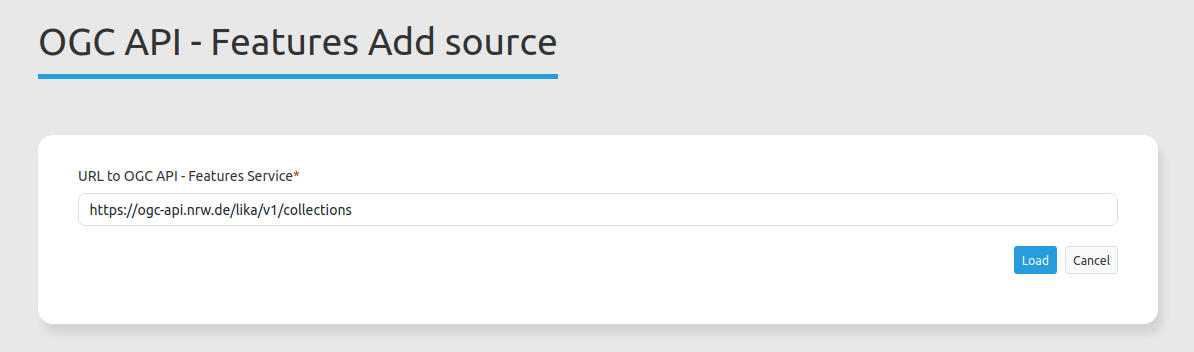
The configuration is similar to WMS. You have to load the data source in Mapbender and refer to the address of the service.
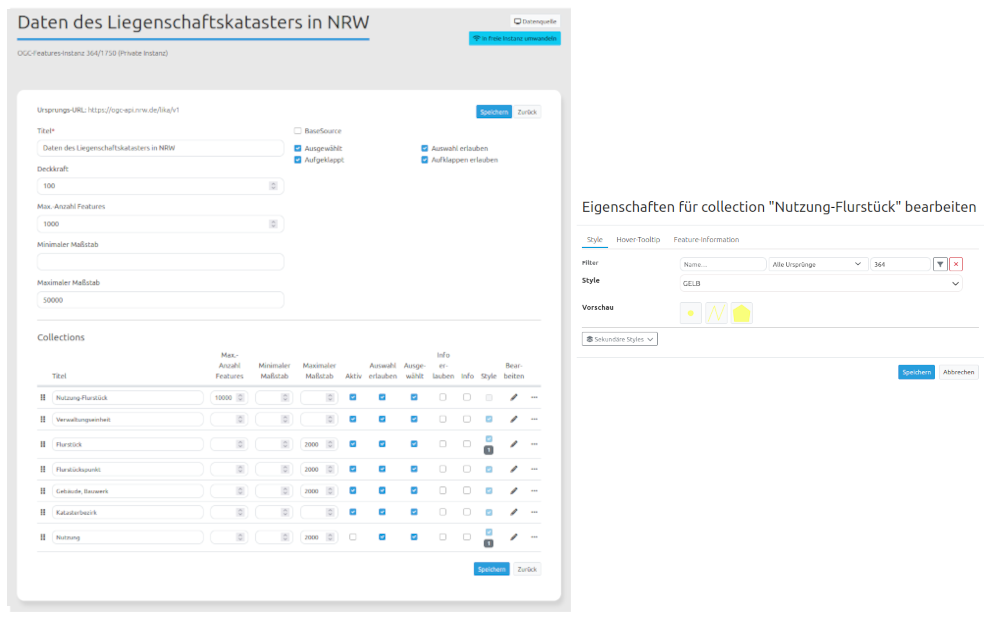
After that, the service can be inserted into an application and configured per instance. For example, transparency can be adjusted. The output of information can be customized and a tooltip can be defined. In addition, different styles can be defined per collection, which can be changed in the frontend. For further customization options, please refer to the documentation.
The documentation has been adapted for the new data source. Under the following links you will find everything you need to integrate and configure:
- https://doc.mapbender.org/en/backend/sources.html#ogc-api-features
- https://doc.mapbender.org/en/backend/applications/layerset.html#ogc-api-features-service-instance-configuration
If you want to test the new format, we recommend the following services:
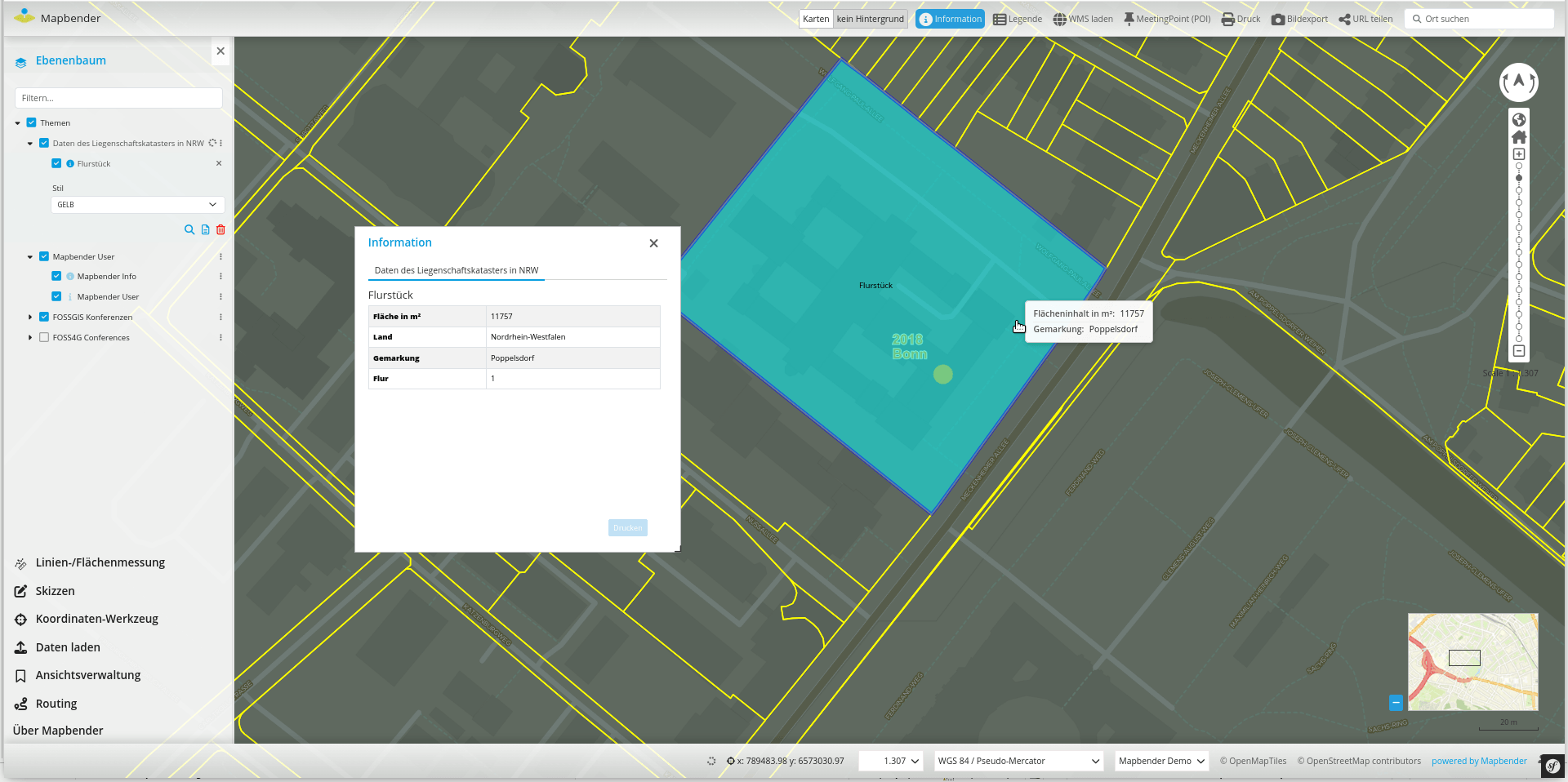
Support of styles
Vector data requires a style definition (style) to be represented in an individual style.
This style must be registered in Mapbender and can then be assigned to vector data sources.
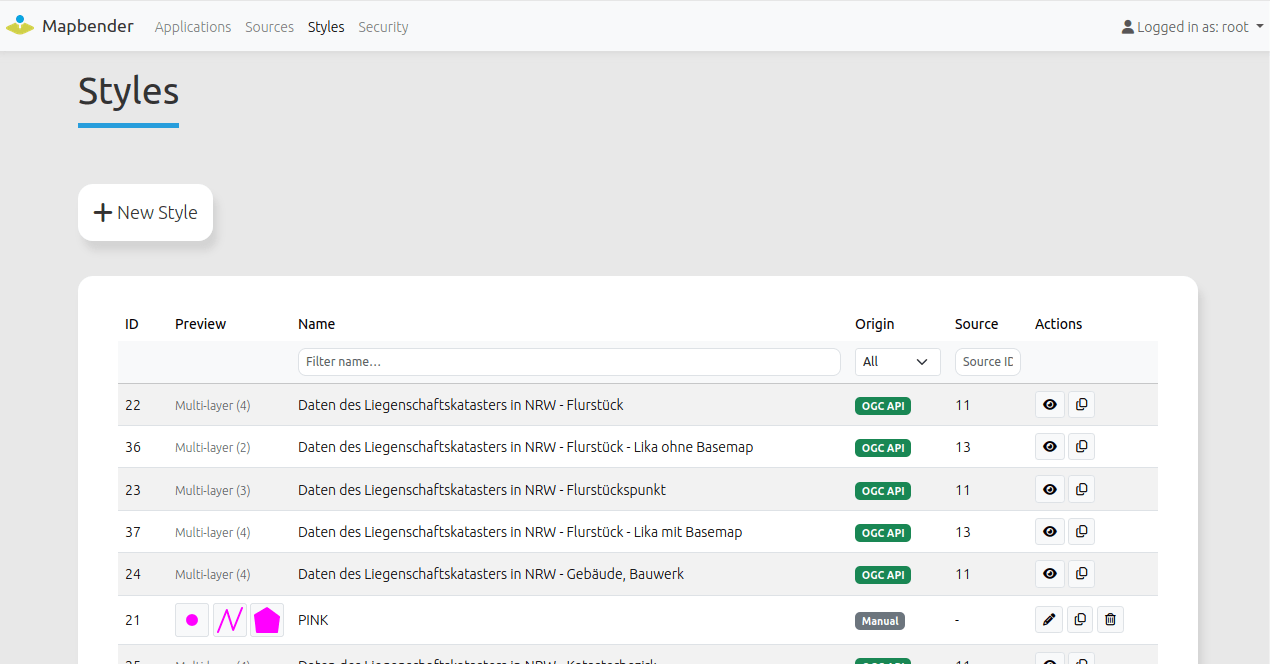
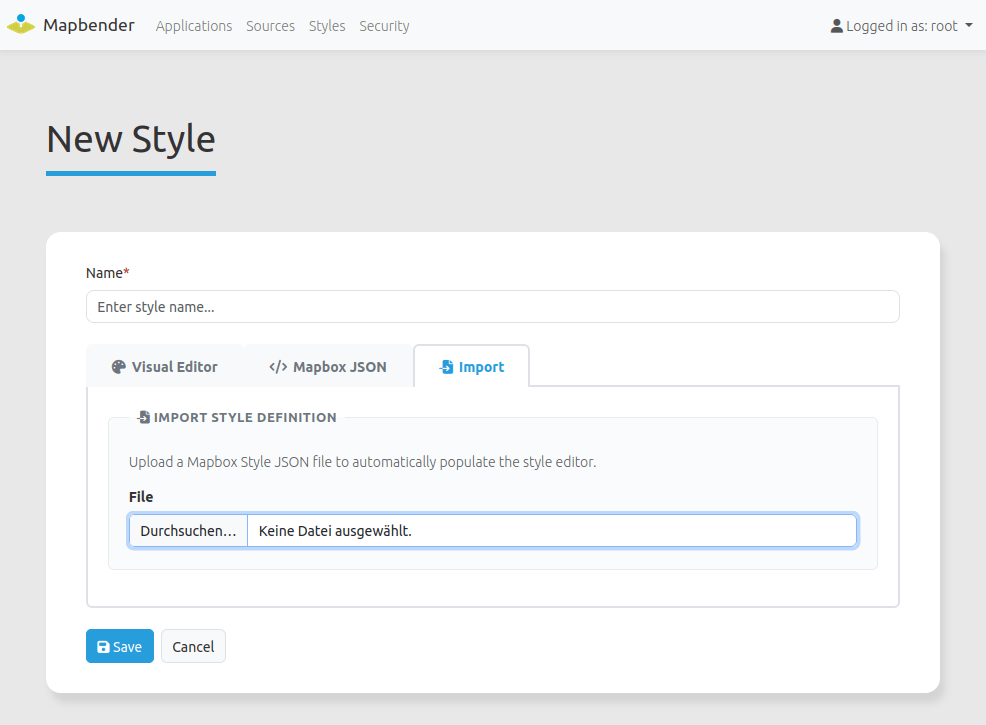
You can upload styles or create styles in Mapbender. Collections of OGC API - Features services can point to styles for displaying the data. These styles are registered directly in Mapbender when the service is loaded. At the moment Mapbender supports Mapbox Vector Style - for styles referenced by the service and for individual styles.
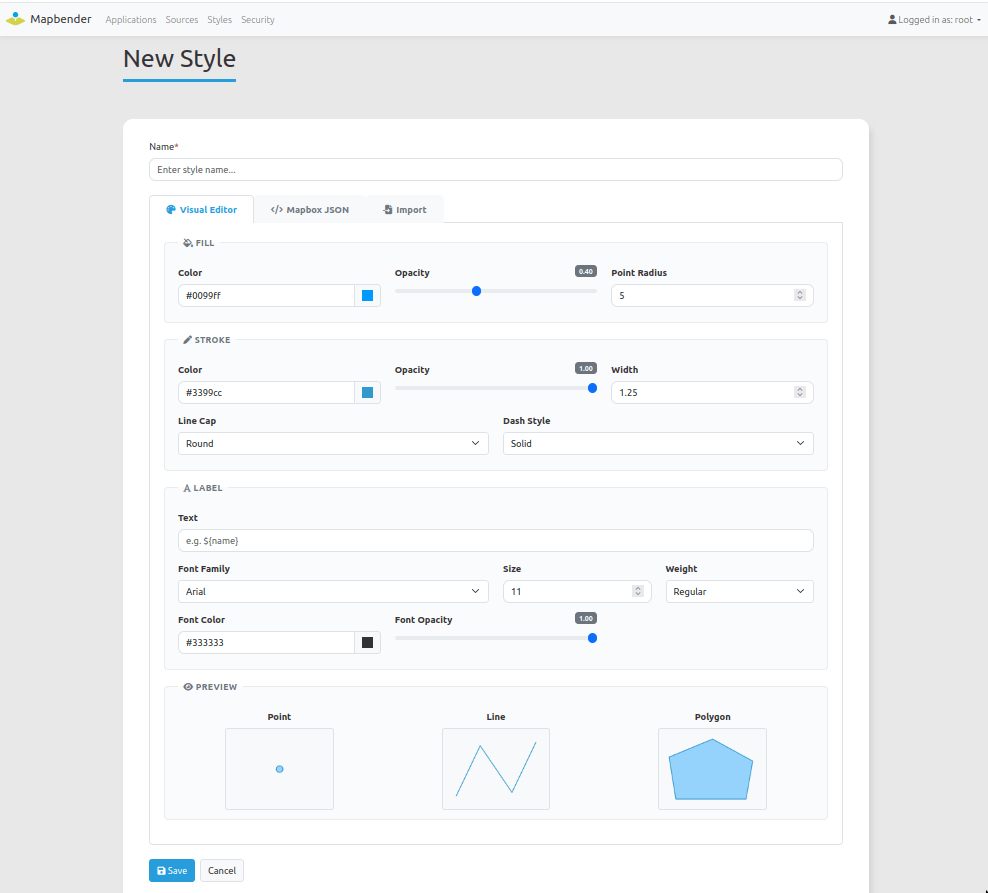
Simple styles can also be edited via a visual editor.
A new right has also been inserted, which is required to manage styles.
The following illustrations illustrate the style management. Please refer to the documentation for detailed information.
Safeguarding for single data sources within an application
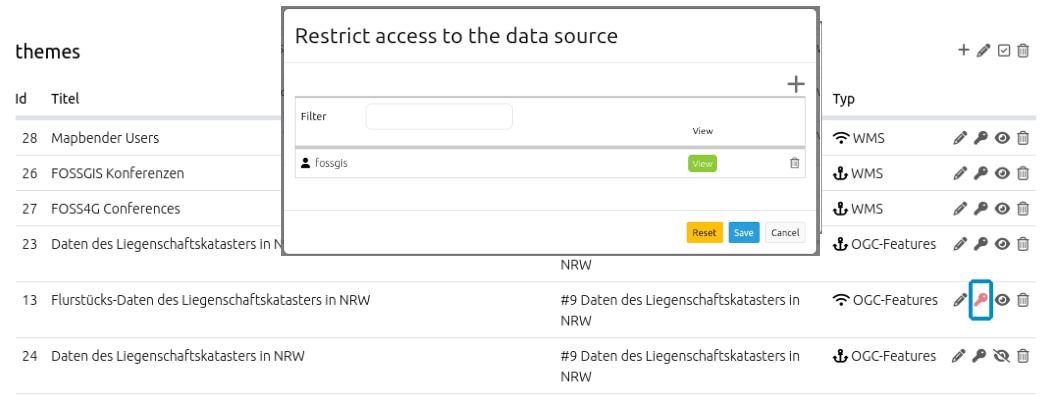
Similar to the protection of elements, access to data sources within an application can now also be restricted for individual users or user groups. The same rights system as for elements and applications is used. Data sources are visible by default to anyone who can see the application. Once the access is restricted (visualized by a red key icon) only these users or groups see the data source.
Improved Service Overview
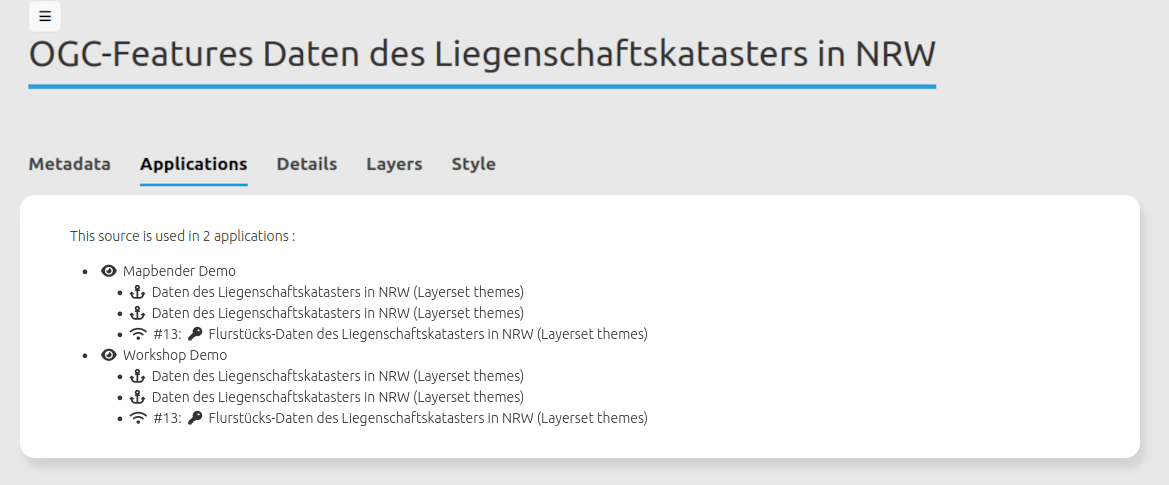
When using many applications, Mapbender nevertheless offers a good overview of the application in which a service is used. The overview can be found in the data sources. Via click on an application link or directly on the service instance can be changed directly to the configuration.
Application Switcher with definition of individual links
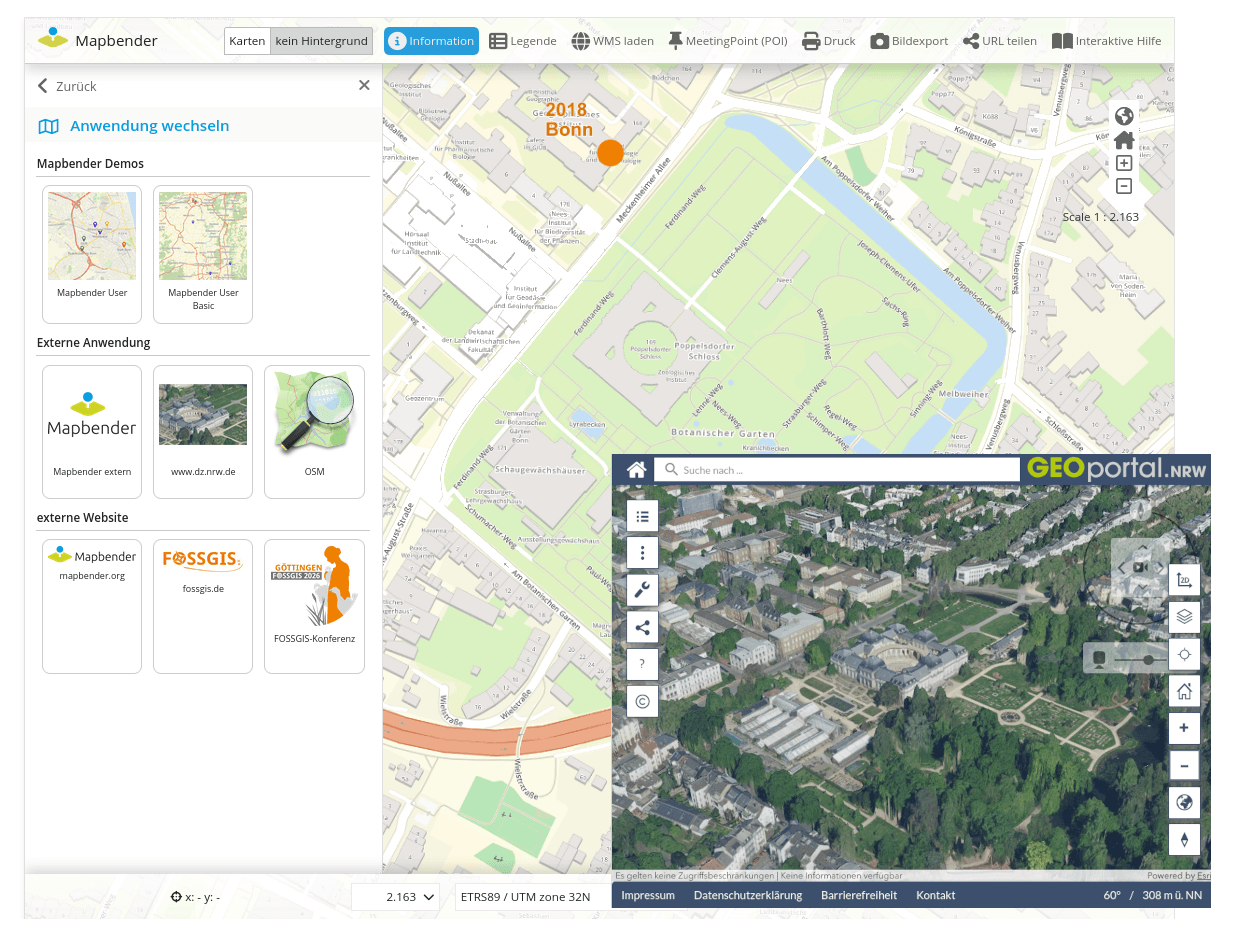
In addition to links to other Mapbender applications, external links can now also be configured in the Application Switcher. A possible application is the link to a 3D view application. The current position of the map, the scale and the rotation can be passed. In addition, an image and a description text can be added to each entry (#PR1793).
PrintClient with Batch mode
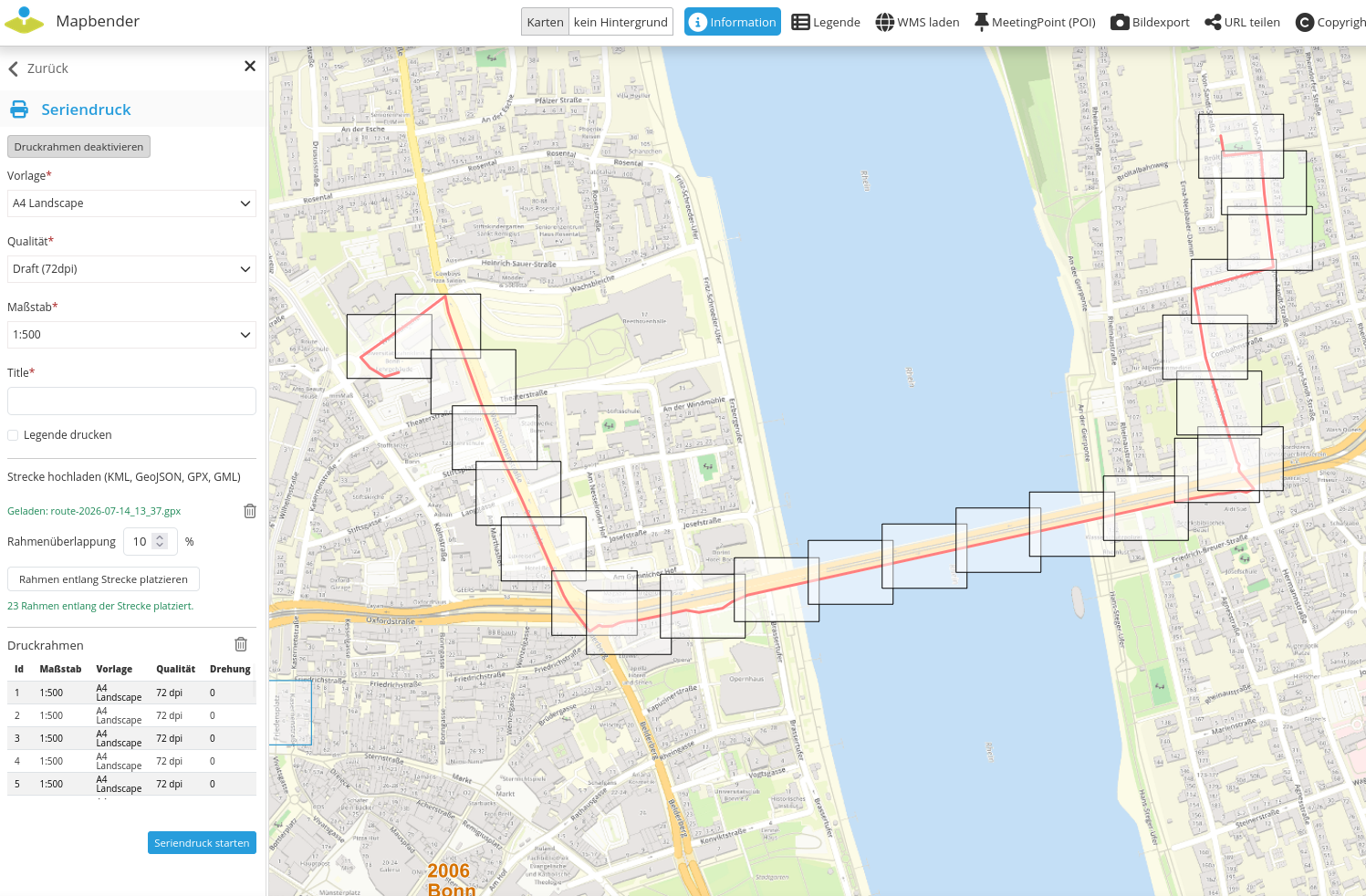
The PrintClient with Batch mode allows you to define multiple print frames and print several cards into a single PDF file. The print frames can be placed by clicking on the map or generated along an uploaded line (#PR1799).
Interactive Help
The Interactive Help is used to control Mapbender functionality and to present it using a title and description. Which elements are controlled is freely configurable. Items are automatically opened or selected in the sidepane (#PR1808).
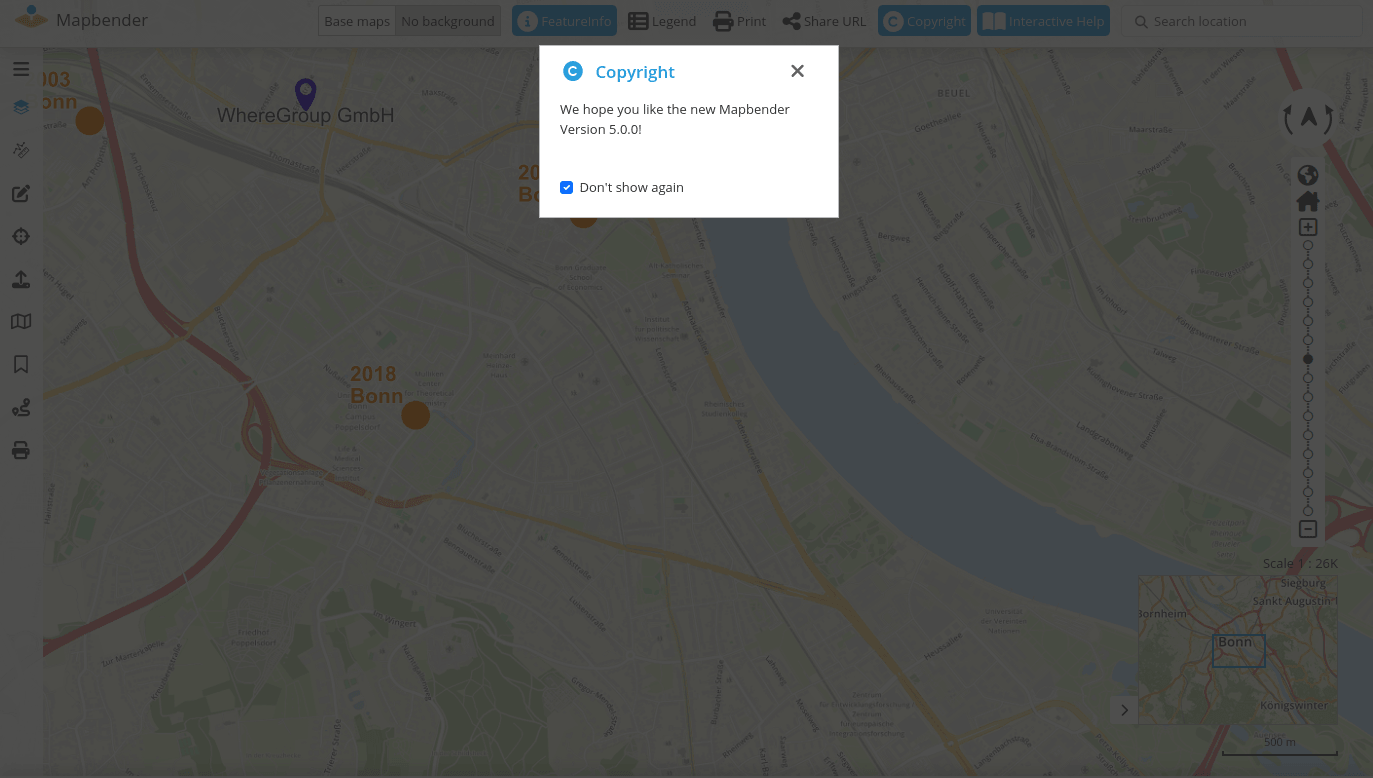
Copyright Element
The copyright element is being removed in version 5. The capabilities offered by the element have been incorporated into the HTML element. Existing applications that use the copyright element can still be loaded.
HTML Element
The HTML element performs tasks similar to the Copryright element. Information can be stored as HTML. The element can be used in the sidepane, via dialog and now also inline (i.e. on the map).
If an HTML element is placed in the sidepane and marked as inline, it appears permanently when the sidepane is folded out.
If an HTML element is placed in the map area and marked as inline, it appears permanently on the map.
If the HTML element is placed in the toolbar or in the footer, the content is always visible.
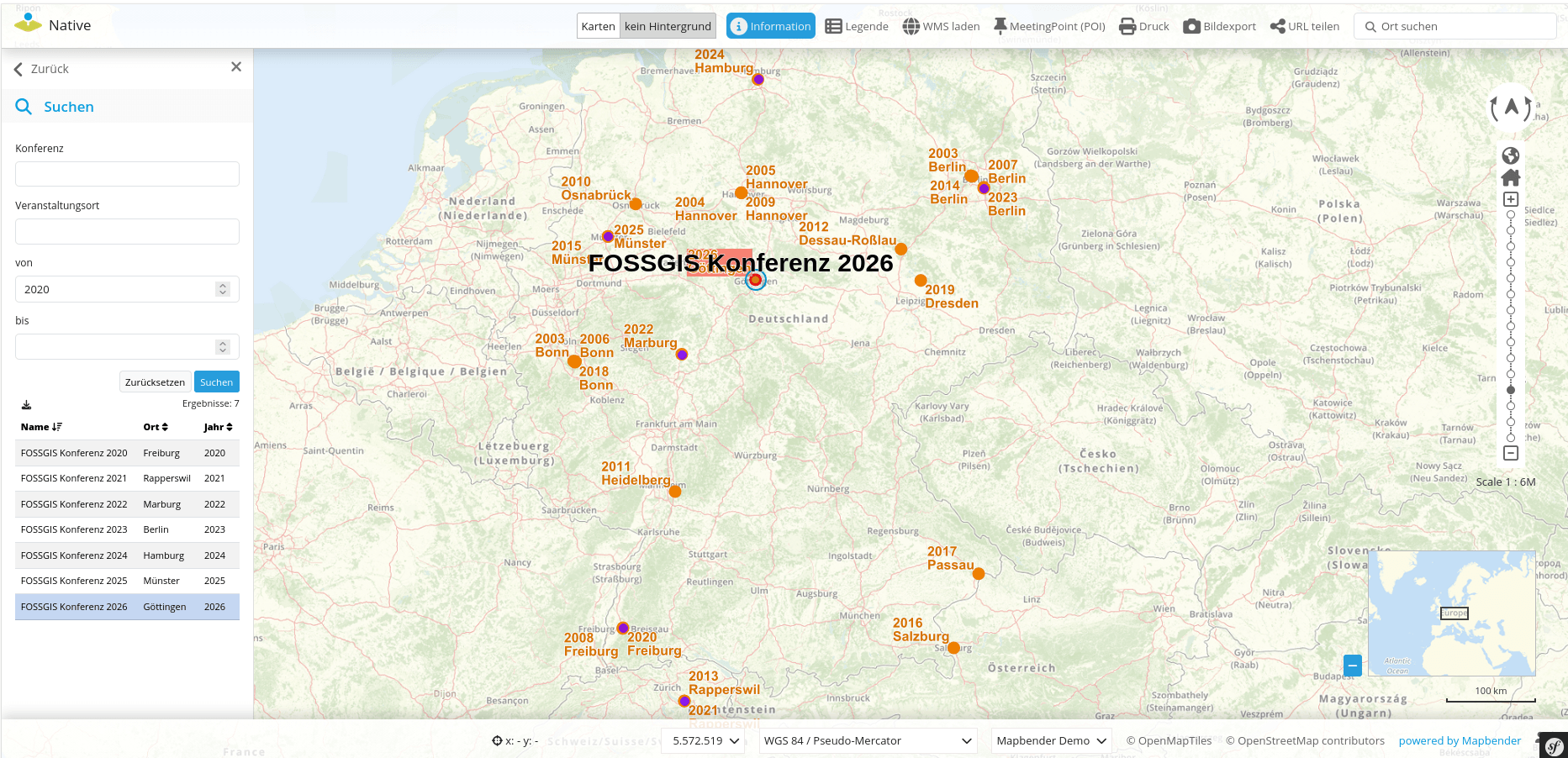
SearchRouter supports number and date fields
Previously, only input fields of the type text were supported. Version 5 adds support for numbers and date fields.
With the new fields, new comparison operators have also been added. So now also inquiries with the same, larger, larger-equal and more are possible (#PR1796).
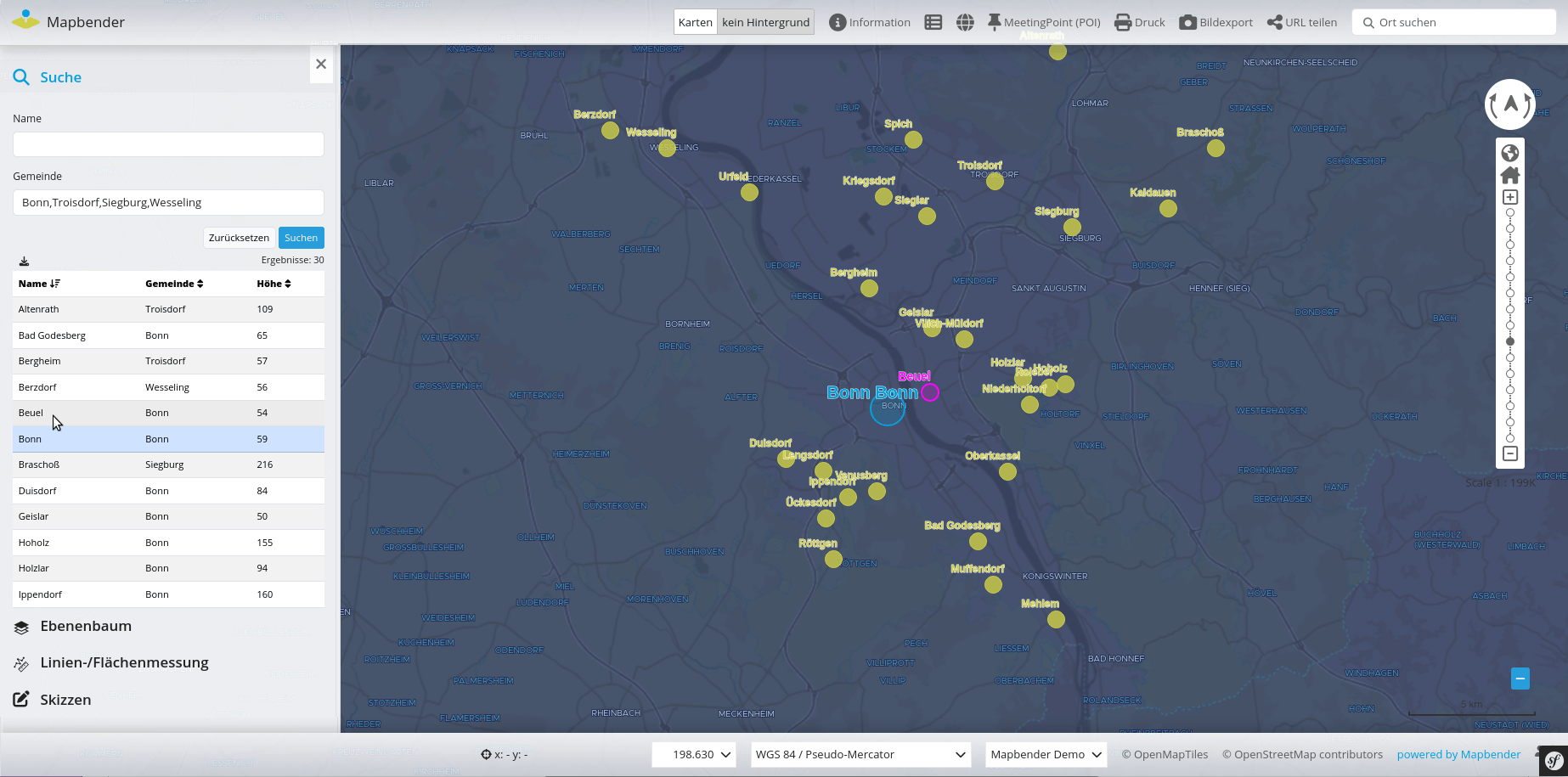
SearchRouter supports search for several terms in a search query
The SearchRouter now offers the ability to define fields as multi-value fields. This allows multiple values to be entered for the search, which are separated by a separator.
One or more possible separators can be defined (#PR1836).
 multi_value: true
    multi_value_separators:
      - ','
      - ;
      - '|'
Digitizer
For the digitizer, version 3.0.0 came out. No big changes but the components have been updated.
Other minor innovations and bug fixes
In addition, the changelog offers a complete overview of the changes.
Switching to the new version
We recommend an update to Mapbender 5.0.0 and wish you a lot of fun with the new version.
Please refer to the migration guide in the documentation. It contains additional hints for updating to new versions.
All other important information as well as links to download and documentation can be found on the Mapbender Website.
Mapbender has a Docker integration and an official Docker repository on DockerHub.
Talks on Mapbender 5
At FOSS4G Europe 2026 was a presentation about Mapbender 5. Here you find a video and presentation slides.
Want to try Mapbender?
Here you will find a demo of the current version. If you want to get a glimpse of the Mapbender backend, you need to install Mapbender.
QGIS2Mapbender QGIS-Plugin
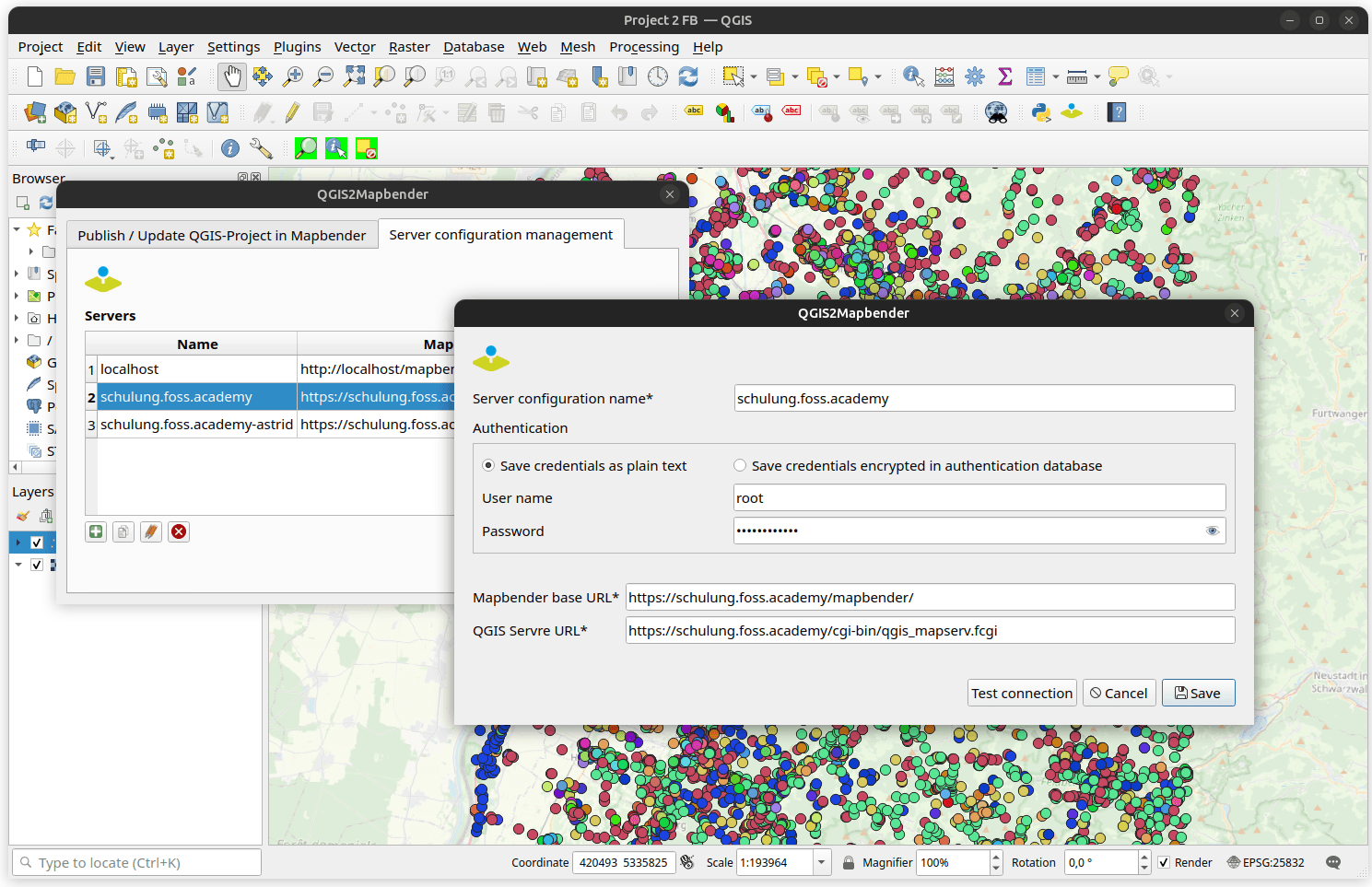
At this point, the plugin QGIS2Mapbender should be referred to again.
With the plugin for QGIS, it is possible to publish QGIS desktop projects as OGC WMS with a few steps and at the same time load the WMS into a Mapbender application. The plugin uses the Mapbender API.
A detailed blog article by Jörg Thomsen about the QGIS2Mapbender QGIS plugin can be found in the WhereGroup-Blog.
What's next?
With the Major Version 5.0.0, the Mapbender team has made a big step again. Bugfix releases will appear in the next few months if errors occur.
Please note that for the 4.2.x version from the release date of version 5, bug-fix releases are still planned for one year.
Until then, we wish you a lot of fun with the new version 5.0.0!